Best Laptop for Graphic Designers – A Complete Guide to Choosing the Right Machine
Graphic design is not just about creativity. It also depends heavily on the tools you use every day. A slow or underpowered system can interrupt your workflow, delay your projects, and limit your creative output. That’s why choosing the best laptop for graphic designers is one of the most important decisions you can make.
Whether you work in branding, illustration, UI/UX design, photo editing, or digital art, your laptop needs to handle demanding software while keeping everything smooth and responsive. This guide will help you understand what really matters so you can choose the right device without confusion.
Why Graphic Designers Need a Powerful Laptop
Graphic design involves more than basic computing. You are working with high-resolution images, complex layers, and detailed visuals that require both processing power and graphical capability.
A good laptop helps you:
- Work smoothly without lag
- Handle heavy design files
- Improve efficiency and productivity
- Focus on creativity instead of performance issues
The best laptop for graphic designers should support your workflow, not slow it down.
Understanding Graphic Design Requirements
Before choosing a laptop, it’s important to understand what your work demands.
Photo Editing
- Requires strong CPU and good display
- Works with tools like image editing software
UI/UX Design
- Needs smooth multitasking
- Requires responsive performance
Illustration and Digital Art
- Benefits from touchscreen or stylus support
- Needs accurate color display
Video and Motion Graphics
- Requires high performance
- Needs powerful GPU and more RAM
Processor – The Core of Performance
The processor determines how fast your laptop can handle tasks.
Recommended Processors
- Intel Core i5 or i7
- AMD Ryzen 5 or Ryzen 7
These processors provide the speed needed for running design applications, exporting files, and multitasking.
For the best laptop for graphic designers, a modern processor is essential.
RAM – Smooth Multitasking and Workflow
Graphic design often involves working with multiple applications at the same time.
RAM Recommendations
- 8GB → Minimum requirement
- 16GB → Ideal for most designers
- 32GB → Best for heavy workloads
More RAM ensures your laptop doesn’t slow down when handling complex projects.
Storage – Speed and Space Matter
Design files can be large and require fast access.
Why SSD Is Important
- Faster file loading
- Quick system performance
- Better workflow efficiency
A minimum of 512GB SSD is recommended for designers.
Graphics Card – Essential for Design Work
Graphics performance is important for rendering, editing, and visual work.
Options to Consider
- Integrated graphics for light work
- Dedicated GPU for professional tasks
A dedicated graphics card improves performance in advanced design software.
Display Quality – A Top Priority for Designers
The display is one of the most important features for graphic designers.
What to Look For
- Full HD or higher resolution
- Accurate color reproduction
- High brightness levels
- Wide color gamut
A good display ensures your designs look exactly how they should.
Color Accuracy and Calibration
Designers rely on accurate colors.
Important Features
- sRGB or AdobeRGB coverage
- Factory color calibration
- Consistent brightness
Without proper color accuracy, your designs may look different on other screens.
Screen Size and Resolution
The size of your screen affects your workflow.
Recommended Options
- 13-inch → Portable but smaller workspace
- 15-inch → Balanced option
- 17-inch → Best for large projects
Higher resolution provides more detail and workspace.
Touchscreen and Stylus Support
Some designers prefer direct interaction with their screen.
Benefits
- Easier drawing and sketching
- More natural workflow
- Better control for creative tasks
Touchscreen laptops are especially useful for illustrators.
Build Quality and Design
A laptop should feel solid and reliable.
Key Factors
- Durable body
- Strong hinge
- Comfortable keyboard
A well-built laptop lasts longer and improves daily use.
Battery Life for Flexible Work
Graphic designers often work from different locations.
What to Expect
- 6 to 10 hours for general use
- Less for heavy design tasks
Battery life allows you to work without interruptions.
Portability and Weight
If you travel or work remotely, portability matters.
Ideal Features
- Lightweight design
- Slim body
- Easy to carry
A portable laptop fits into a flexible work lifestyle.
Connectivity and Ports
Design work often requires external devices.
Important Ports
- USB ports for accessories
- HDMI for external displays
- SD card reader for photographers
These features improve your workflow.
Best Use Cases for Graphic Design Laptops
The best laptop for graphic designers should handle different types of work.
Branding and Logo Design
- Requires precision and smooth performance
Photo Editing
- Needs high color accuracy
Web and App Design
- Requires multitasking
Illustration
- Benefits from stylus support
Budget Considerations
Graphic design laptops come in different price ranges.
Budget Range
- Entry-level → Basic design work
- Mid-range → Balanced performance
- High-end → Professional workloads
Choose based on your work requirements.
Common Mistakes to Avoid
Many designers make mistakes when buying a laptop.
Avoid These
- Choosing low RAM
- Ignoring display quality
- Buying outdated processors
- Focusing only on price
A poor choice can affect your productivity.
Tips to Improve Performance
Even a good laptop needs proper maintenance.
Useful Tips
- Keep software updated
- Close unnecessary apps
- Use external storage if needed
- Avoid overheating
These steps help maintain performance.
Future Trends in Graphic Design Laptops
Technology continues to improve.
What to Expect
- Better displays
- Faster processors
- Improved graphics performance
This makes laptops more powerful and efficient.
Final Thoughts
Choosing the best laptop for graphic designers is about finding the right balance between performance, display quality, and usability. Your laptop should support your creativity, not limit it.
Focus on:
- Strong processor
- Enough RAM
- Fast SSD storage
- High-quality display
When these elements come together, you get a machine that helps you work efficiently and create without limits.
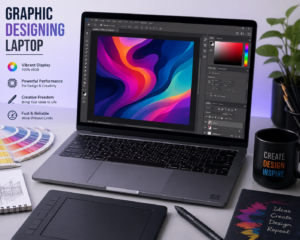
Quick Summary
- Graphic designers need powerful and reliable laptops
- Display quality and color accuracy are critical
- 16GB RAM is ideal for smooth workflow
- SSD storage improves speed
- Dedicated graphics help with advanced work
A well-chosen laptop becomes more than just a device—it becomes a tool that supports your ideas and helps turn them into reality. With the right approach, you can find the best laptop for graphic designers that fits your needs and enhances your creative journey.
Best Graphic Designing Laptops
1. Apple MacBook Pro 16-inch


- Apple M-series chip (M2/M3)
- Stunning Retina display (high color accuracy)
- Excellent for Photoshop, Illustrator, video editing
👉 Top choice for professional designers
Leave a Reply